
Whats New? - October 2024
Continuing our way into the busy Fall season, we're here to showcase some new additions to Report Toaster.
Let's take a look!
AI Assistant
Something we've been working on for some time now, this AI tool has been created by our team of developers specifically to help you use Report Toaster.
Until now, this is something we've only previously had available to a few select customers to help us gather crucial testing feedback. However, with this full rollout, you should be able to use the tool to help you create reports, discover key resources, or simply answer any questions you might have.
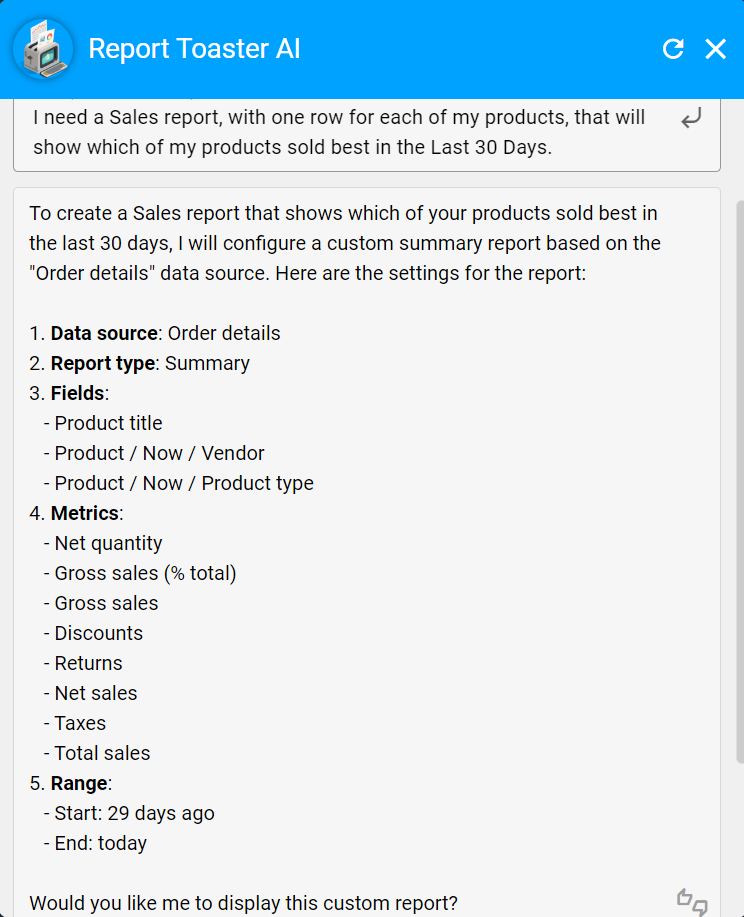
(click image to enlarge)
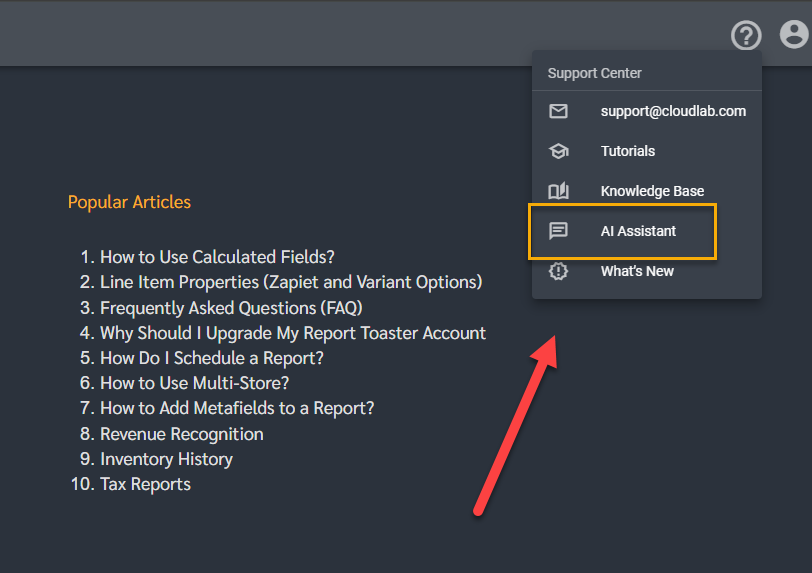
You can access this tool via the help menu, top right:
(click image to enlarge)
See our main guide here for further details.
Tips
An oft-requested report for those stores that run physical retail locations or otherwise enable tips.
This report is designed to show exactly how much each of your staff earned in tips over a defined period (default - last 30 days).
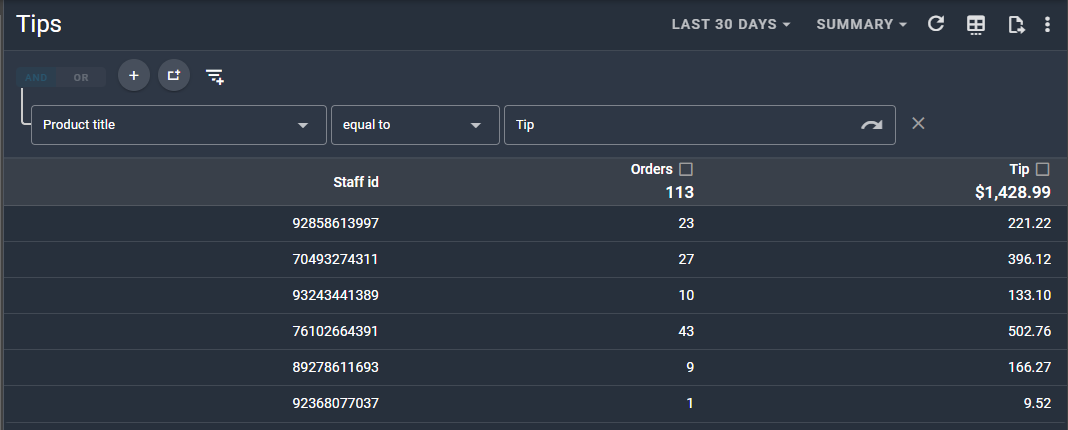
(click image to enlarge)
Found under the Retail section, this Sales report can be customized just like any of our others to provide vital insights into your retail sales.
Note - If you'd like us to map the Staff ID to the corresponding staff names with our custom fields, then all you have to do is contact us with a list of which names go with which IDs and we'll handle the rest.
See our main guide here for further details.
Order Risks
With the addition of a few new fields from Shopify, we can now include more detailed information on Order Risks in our reports.
These columns have already been added to the default High Risk Orders report, which is filtered to include only high risk orders.
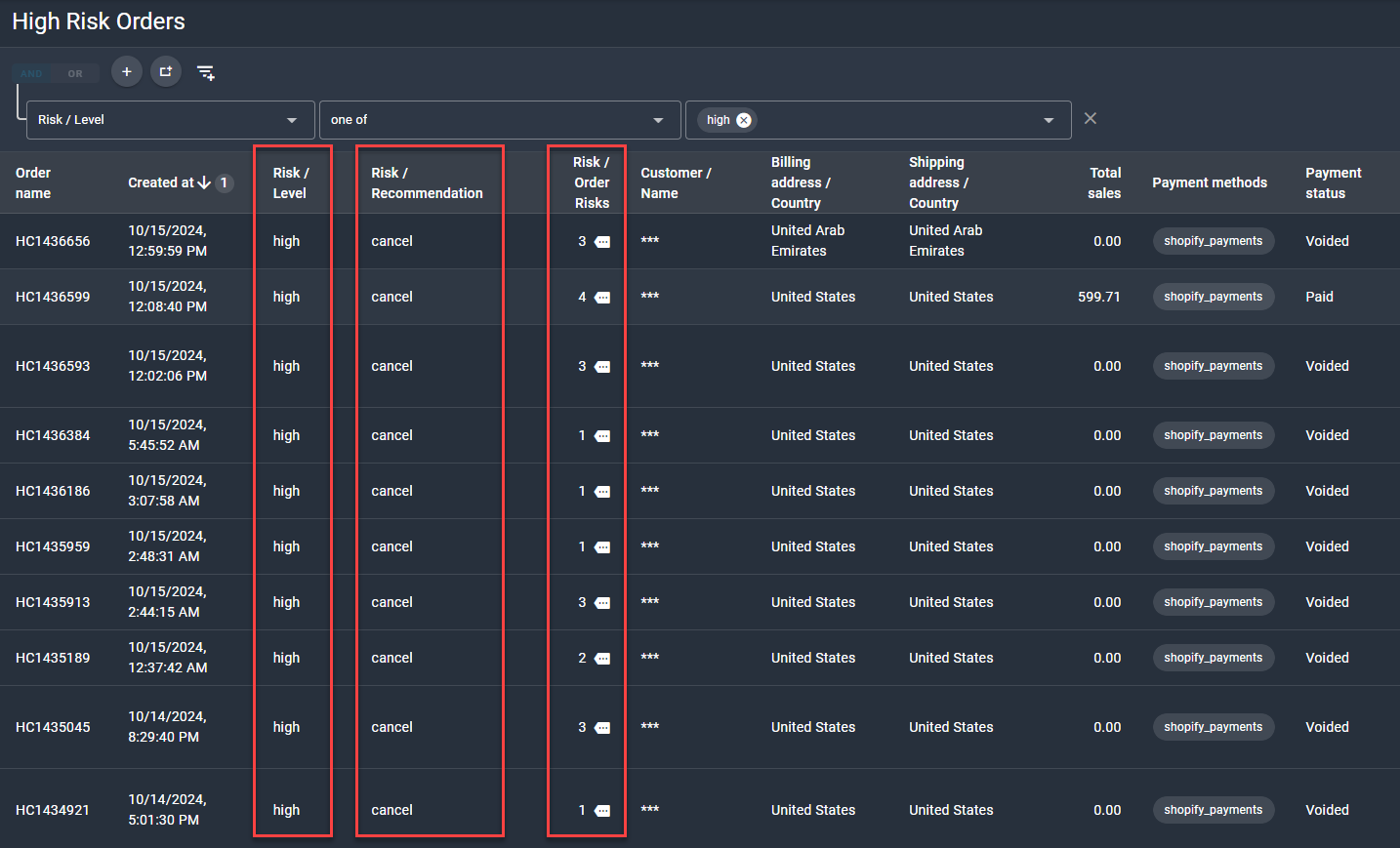
(click image to enlarge)
Click on the Risk / Order Risks dropdown to see the specific risks that Shopify has identified that apply to each order.
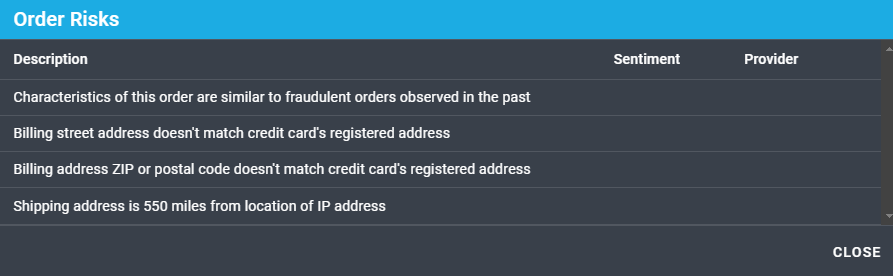
(click image to enlarge)
Mailing Lists
Thanks to us now being able to access more opt-in data from Shopify, we've created a couple of quick mailing list reports under the Customers section:
- Mailing List (Email) - For customers who have consented to receive email marketing. Defaults to customers created in the last 30 days who are currently subscribed.
- Mailing List (SMS) - The same, but for customers who consented to receive SMS marketing.
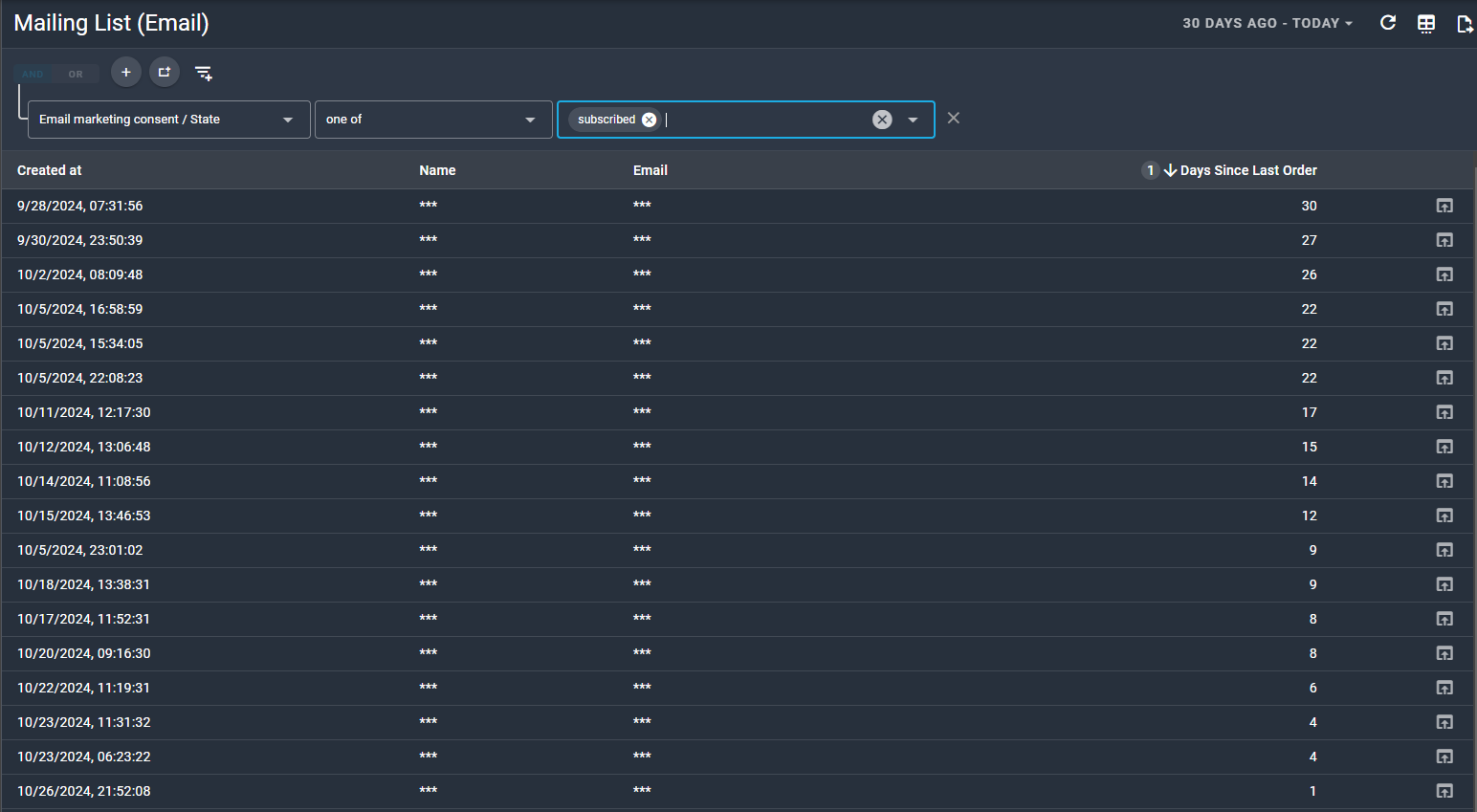
(click image to enlarge)
The report is sorted by Days Since Last Order, so you can prioritize those customers who've last shopped at your store some time ago (but of course you can filter or sort by any column as usual).
If you have any questions about these additions or would like help setting something up for your account, feel free to reach out to us at [email protected].
Until next time!